
Navigating Dating During Divorce
April 17, 2026
3F Dating Faith Family and Future
April 19, 2026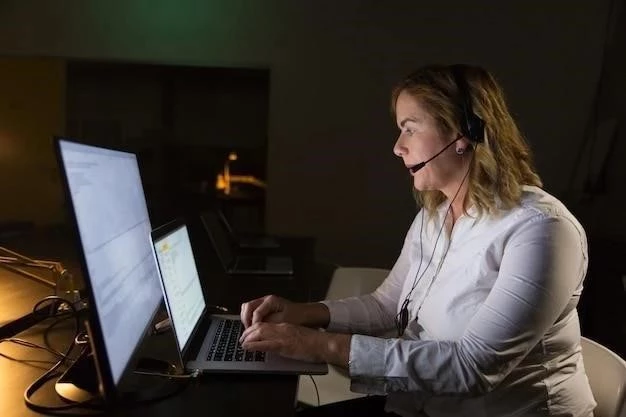
Match.com has long been a pioneer in the online dating landscape, connecting millions of singles worldwide. With such a vast user base, the need for reliable and accessible customer support is paramount. Users often encounter situations ranging from billing inquiries and technical glitches to account management and safety concerns, prompting them to seek assistance. While many users instinctively look for a direct phone number, specifically an 800 number, understanding Match.com’s primary support channels is key to resolving issues efficiently.
Why You Might Need Match.com Customer Service
- Account Management: Issues with login, profile updates, or account settings.
- Billing & Subscriptions: Questions about charges, subscription renewals, or cancellations.
- Technical Support: Problems with the website or app functionality, error messages, or features not working.
- Safety & Security: Reporting suspicious profiles, harassment, or privacy concerns.
- Feature Guidance: Understanding how to use specific Match.com features or tools.
- Membership Inquiries: Downgrading, upgrading, or pausing a membership.
Is There an 800 Number for Match.com Customer Service?
Historically, and for many modern tech companies, direct phone support via an 800 number is not the primary or most readily available channel. Match.com, like many other large online platforms, primarily leverages digital self-service and email-based support systems. While there might be occasional or regional phone numbers for specific issues (like press inquiries or corporate offices), a widely advertised 800 customer service number for general user support is typically not the main point of contact.
The shift towards online support channels allows companies to handle a higher volume of inquiries, provide detailed written instructions, and often resolve common issues through comprehensive FAQs and help articles. This strategy also helps streamline support for a global user base operating across different time zones.
Primary Methods of Contacting Match.com Support
The Match.com Help Center / FAQ
Your first port of call for any issue should always be the extensive Match.com Help Center. This resource is packed with answers to frequently asked questions covering almost every aspect of the platform. You can find detailed guides on account settings, billing, privacy, safety, technical troubleshooting, and how to use various features. Utilizing the search function within the Help Center can quickly point you to a solution without needing to contact a representative directly.
Email / Online Contact Form
For issues that aren’t resolved by the Help Center, the primary method of direct contact is through their online contact form or email support. This method ensures that your query is routed to the appropriate department. When using the contact form, you’ll typically be asked to categorize your issue, provide your account details (email associated with your Match.com account), and describe your problem in detail. This approach allows support agents to research your specific situation thoroughly before responding.
How to Find It: Navigate to the Match.com website, scroll to the footer, and look for links such as “Help,” “Contact Us,” or “Customer Service.” These links will usually lead you to the Help Center, where you’ll find an option to submit a request if your issue isn’t covered by the FAQs.
Response Times: Response times can vary depending on the complexity of your issue and the current volume of inquiries. Match.com usually aims to respond within 24-48 business hours, but it might take longer for more intricate problems.
Live Chat (Availability Varies)
In some instances, and for certain types of issues, Match.com may offer a live chat option. This provides real-time assistance and can be very effective for immediate but not overly complex problems. The availability of live chat often depends on the time of day, your geographical location, and the specific nature of your query. If available, it will typically appear as a pop-up or a clearly marked option within the Help Center.
Social Media (Informal Channel)
While not a formal customer service channel, reaching out to Match.com through their official social media pages (e.g., Facebook, X/Twitter) can sometimes yield a response or direction to the correct support channel. This is generally more effective for general inquiries or expressing broader feedback rather than resolving specific account-related problems due to privacy concerns.
Tips for Effective Customer Service Interaction
- Check the FAQ First: Many common questions have ready answers.
- Be Prepared: Have your Match.com account email, username, subscription details, and any relevant dates or transaction IDs ready.
- Be Clear and Concise: Clearly state your problem, what you’ve already tried, and what resolution you’re seeking. Include screenshots if it’s a technical issue.
- Be Patient: Understand that digital support has its own response timelines. Avoid submitting multiple tickets for the same issue, as this can delay resolution.
- Keep Records: Save copies of your communications with Match.com support for future reference.
While the search for a direct 800 customer service number for Match.com may not always lead to a readily available option, the platform provides robust online support channels designed to address user needs effectively. By starting with the comprehensive Help Center and then utilizing the online contact form for more specific inquiries, users can typically find the assistance they need. Embracing these digital avenues, coupled with clear communication, is the most efficient way to resolve issues and ensure a smooth experience on Match.com.
Remember that Match.com prioritizes user experience and safety, and their support teams are dedicated to assisting members through their established digital communication methods.